

Less is More: Interaction Design Concept

UX Testing

Mobile Design

Overview

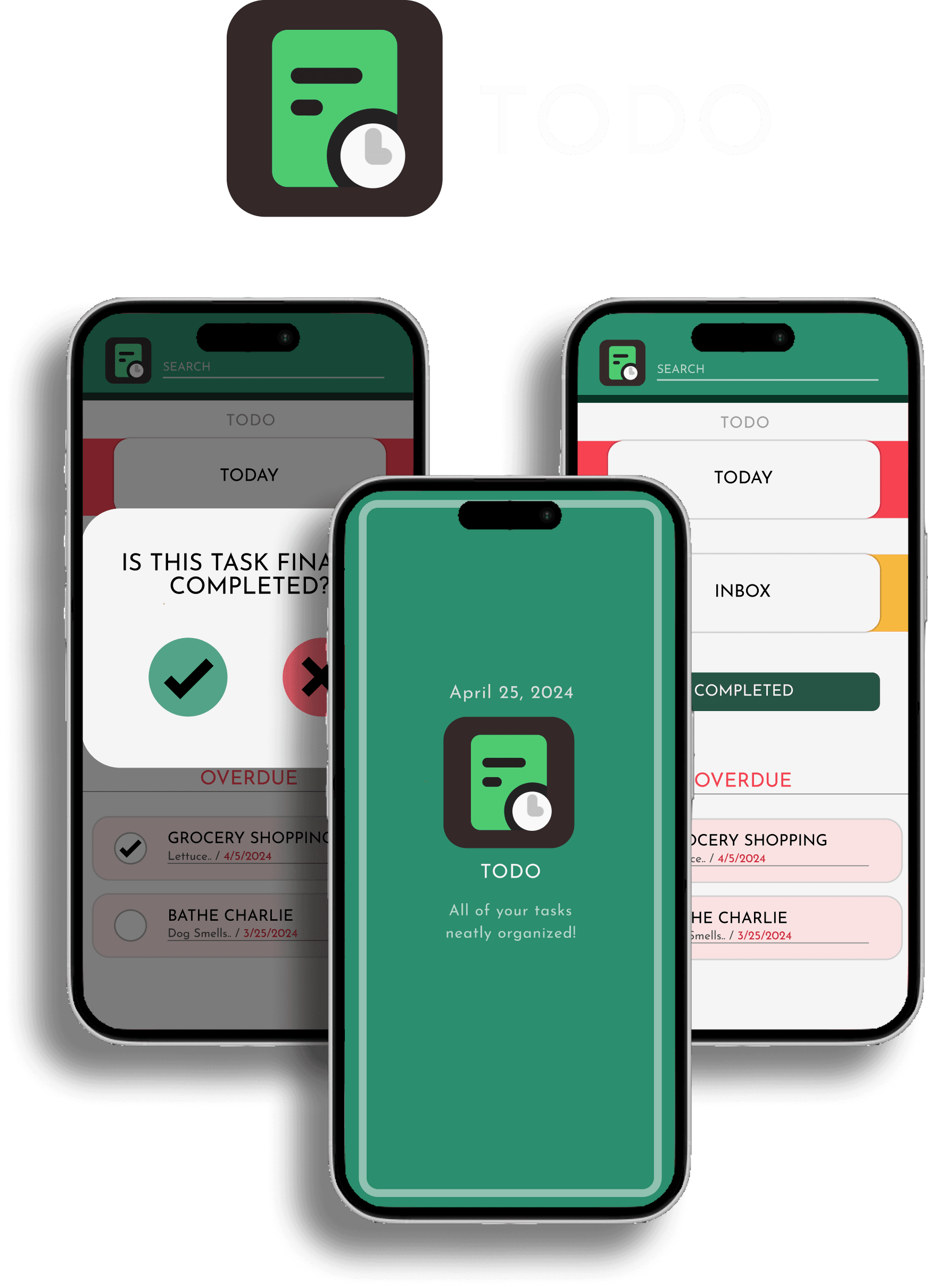
This study explored interaction design principles through rebranding Todoist, a popular task management app. The goal was to improve usability and engagement by emphasizing simplicity and feedback, ultimately reducing cognitive load for a broader range of users.

Less is More: Interaction Design Concept

UX Testing

Mobile Design

Overview

This study explored interaction design principles through rebranding Todoist, a popular task management app. The goal was to improve usability and engagement by emphasizing simplicity and feedback, ultimately reducing cognitive load for a broader range of users.

Less is More: Interaction Design Concept

UX Testing

Mobile Design

Overview

This study explored interaction design principles through rebranding Todoist, a popular task management app. The goal was to improve usability and engagement by emphasizing simplicity and feedback, ultimately reducing cognitive load for a broader range of users.

ROLE

Wire framing, Visual Designer, Interaction Designer

TIME

10 Week Sprint

TOOLS

Figma, Premier Pro, Jitter, Illustrator

TYPE

Mobile App Concept
PROBLEM

Everyday User Flow Issue
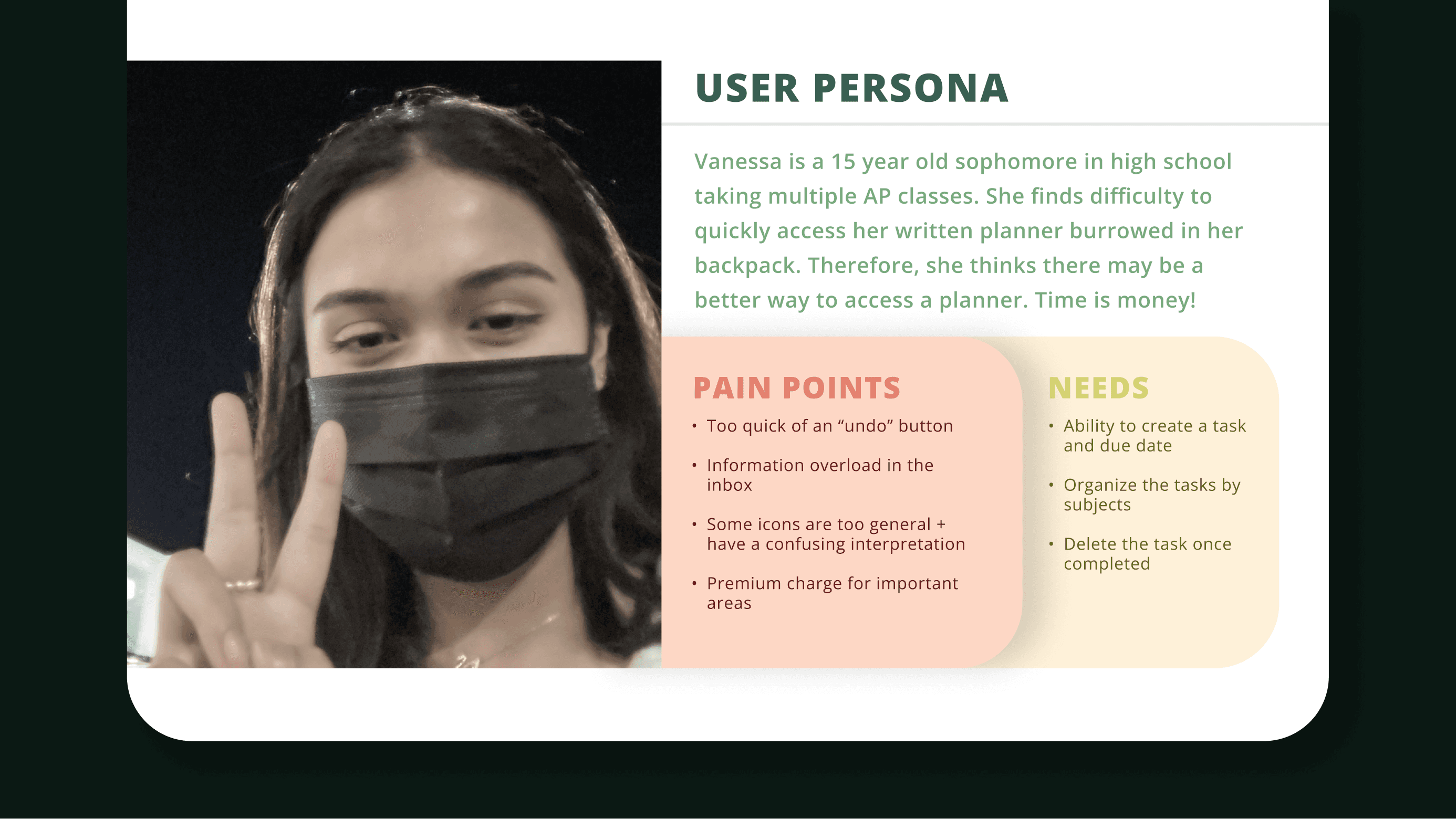
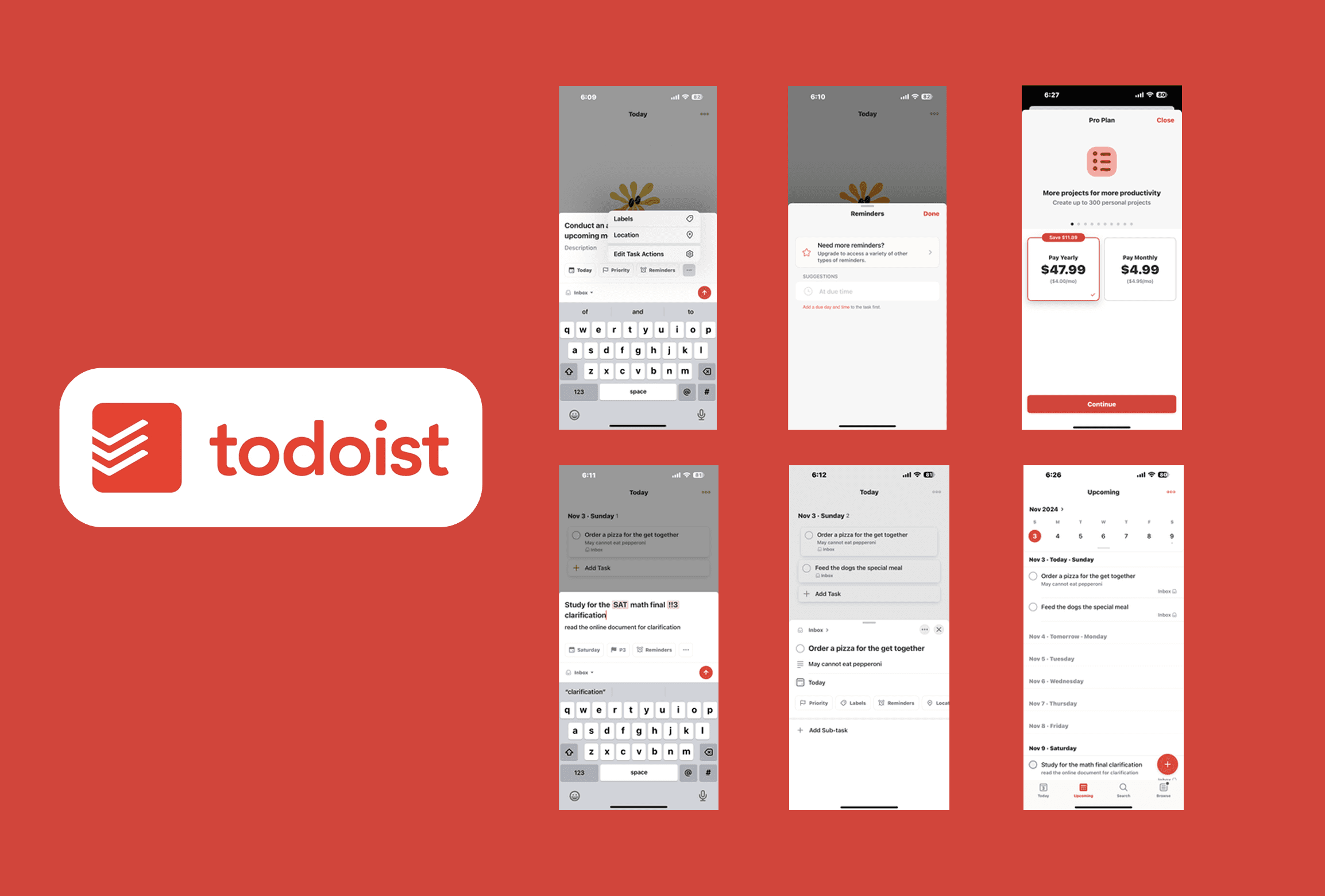
Todoist is highly popular, but it is primarily built for detail-oriented users in corporate or academic settings who are comfortable navigating complex interfaces.


For users seeking something simpler for daily tasks, the current design gets in the way. Navigation can feel overwhelming with the number of triggers and feedback loops takes time to learn, and some premium features appear without prior indication of a paywall. The app works well for power users. It leaves everyone else behind.

Although it varied to every industry, the primary involved the following:

USER GROUPS

Targeted Audience

The rebrand targeted a younger audience who find Todoist's current complexity more of a barrier than a benefit. These are users who want to manage daily tasks quickly and clearly, without a learning curve.

Although it varied to every industry, the primary involved the following:

PROCESS

Reducing Cognitive Load

Phase 1

Equal partner on a four-person team. Conducted visual observations, customer interviews, and usability testing over 10 weeks with no budget.

Phase 2

Project Manager and designer. Focused on closing usability gaps and preparing the design for development

Success

Target

4/5 average in usability testing and users completing orders without confusion

COMPETITION

Figuring out the Competition

The team conducted visual observations, customer interviews, and usability testing to build a research-grounded concept.

A competitive analysis of nearby food trucks revealed a clear trend: the best-performing ones had clean menus with strong food photography. This mattered for Kami specifically because novelty only goes so far. Being the only Korean food truck draws curiosity. Strong visuals help convert it into an order, especially for first-timers unfamiliar with Korean cuisine.

Although it varied to every industry, the primary involved the following:

STEP-BY-STEP

How We Got There

From initial observations to final handoff, each phase was shaped by what real users felt was best and their overall design preferences.

01 — Research
& Discovery

Conducted visual observations and customer interviews to uncover how users interacted with the truck and what frustrated them most.

02 — Define the

Problem

Three pain points emerged: long wait times, no real-time truck availability, and a menu too complex to translate into a clean app flow.

03 — Competitive
Analysis

Analyzed nearby food trucks and found a clear pattern: the best performers had clean menus and strong food photography.

04 — Personas

Interview findings shaped three user personas: Drexel students, faculty and staff, and nearby workers.

05 — Low/ Mid-
Fidelity Prototype

Early testing surfaced four issues: layouts too complex, photos too small, pickup times missing, and the dark color scheme too intense.

06 — High-Fidelity

Design

Every usability finding directly shaped the high-fidelity decisions, from color palette to menu hierarchy to checkout flow.

07 — Usability
Testing

Two rounds of testing on alpha and beta versions. Findings were synthesized as a team after each round before changes were proposed to developers.

08 — Iteration & Handoff

Design changes were reviewed with developers each round, ensuring every decision was feasible for the PHP and CSS build.
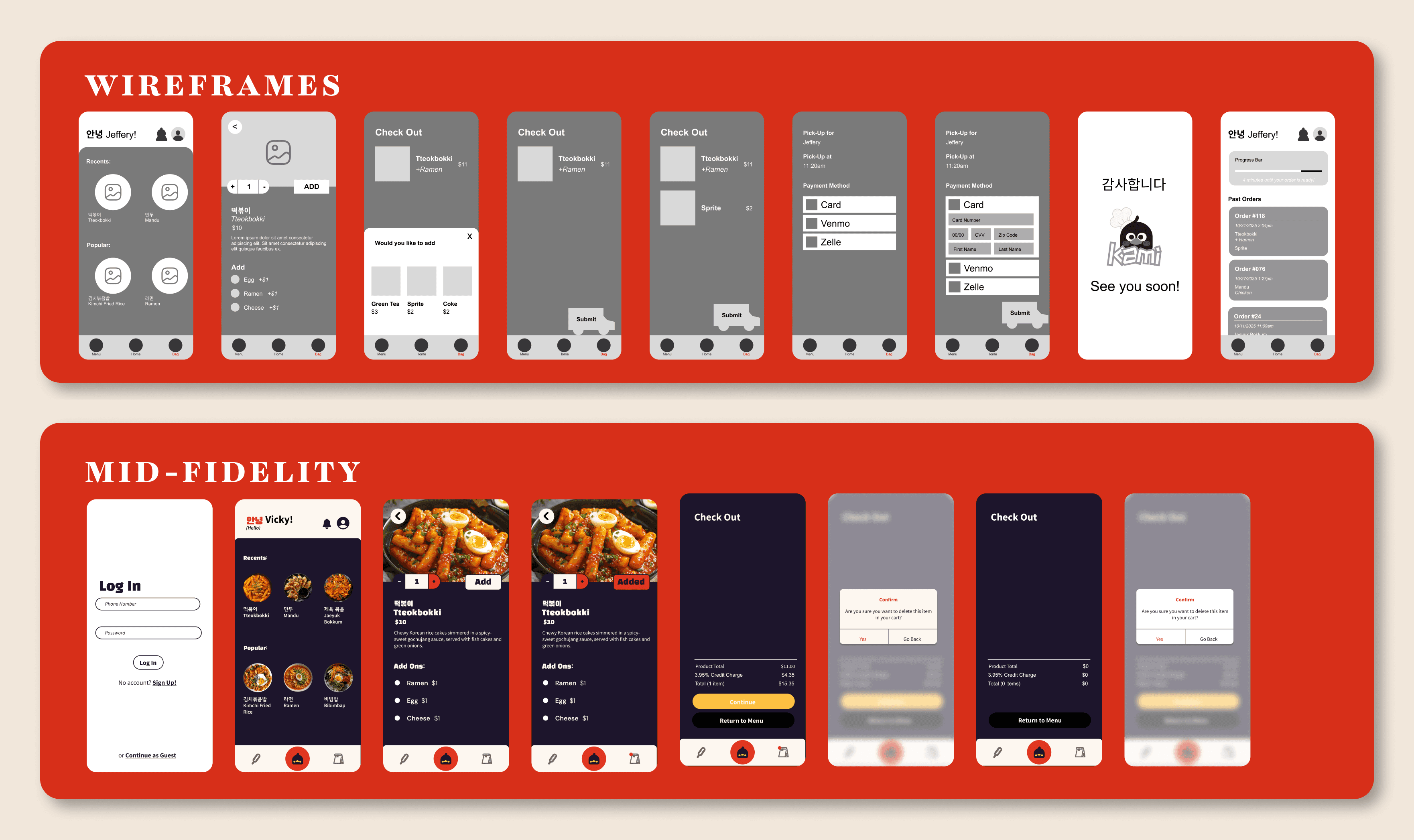
DESIGN PROCESS, WIREFRAMES, MID-FIDELITY

Starting Off : Phase 1
Very early on usability tests on low and mid-fidelity prototypes surfaced four consistent issues: layouts were too complex, food photos were too small, pickup times were missing, and the dark color scheme felt too intense. These findings drove every decision going into high-fidelity.

Although it varied to every industry, the primary involved the following:

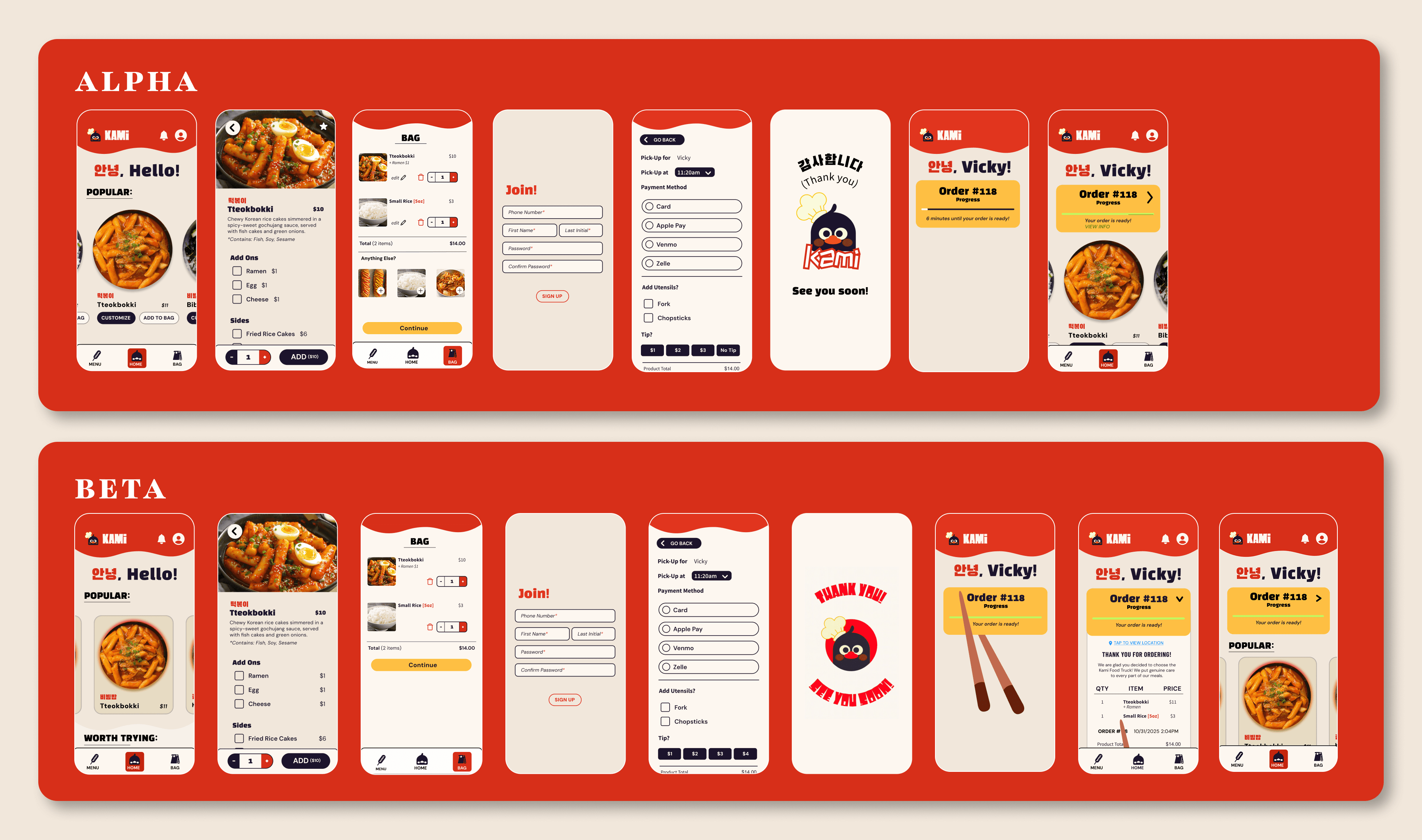
DESIGN PROCESS, ALPHA, BETA

Cleaning it Up : Phase 2

In Phase 2, usability tests were run on alpha and beta versions of the CSS-coded app. My design partner and I alternated between facilitating and note-taking. After each round, findings were synthesized as a team and proposed changes were reviewed with developers before the next round began.

Although it varied to every industry, the primary involved the following:

REFINEMENTS

Input…Output

From initial observations to final handoff, each phase was shaped by what real users felt was best and their overall design preferences.

  1. Home Hierarchy

Reconstructed layout to reduce overload and establish a clear visual focal point at the top of the screen.

  1. Chopstick Anim.

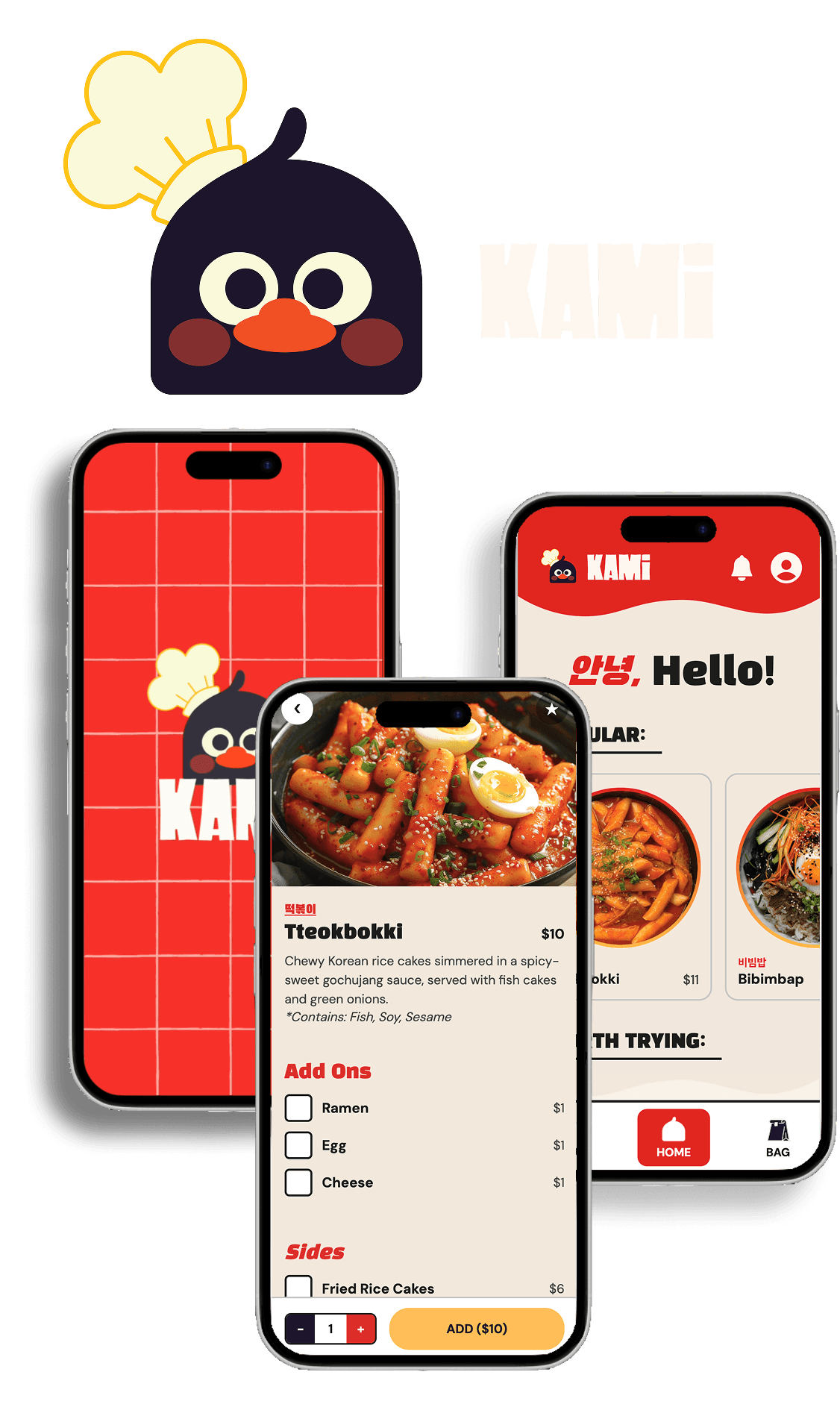
A branded mascot animation was well-received but adjusted for speed after users found it too slow for a fast-paced ordering context.

  1. Customization

Reorganized item names and prices to make scanning faster and reduce confusion.

  1. Tip Screen

Simplified after users flagged it as confusing and developers flagged it as difficult to build in PHP.

  1. Push Notification

Restructured layout to reduce overload and establish a clear visual focal point at the top of the screen.

  1. Pickup Time

New animation were well-received but adjusted for speed after users found it too slow for a fast-paced ordering context.

Cutting Navigation

Softer palette replaced the dark color scheme, and I sketched the initial mascot redesign for the graphic designer to refine.

Micro-animations

To reduce steps of user feedback + PHP merges, removed the unnecessary login input and simplified CSS/HTML pages
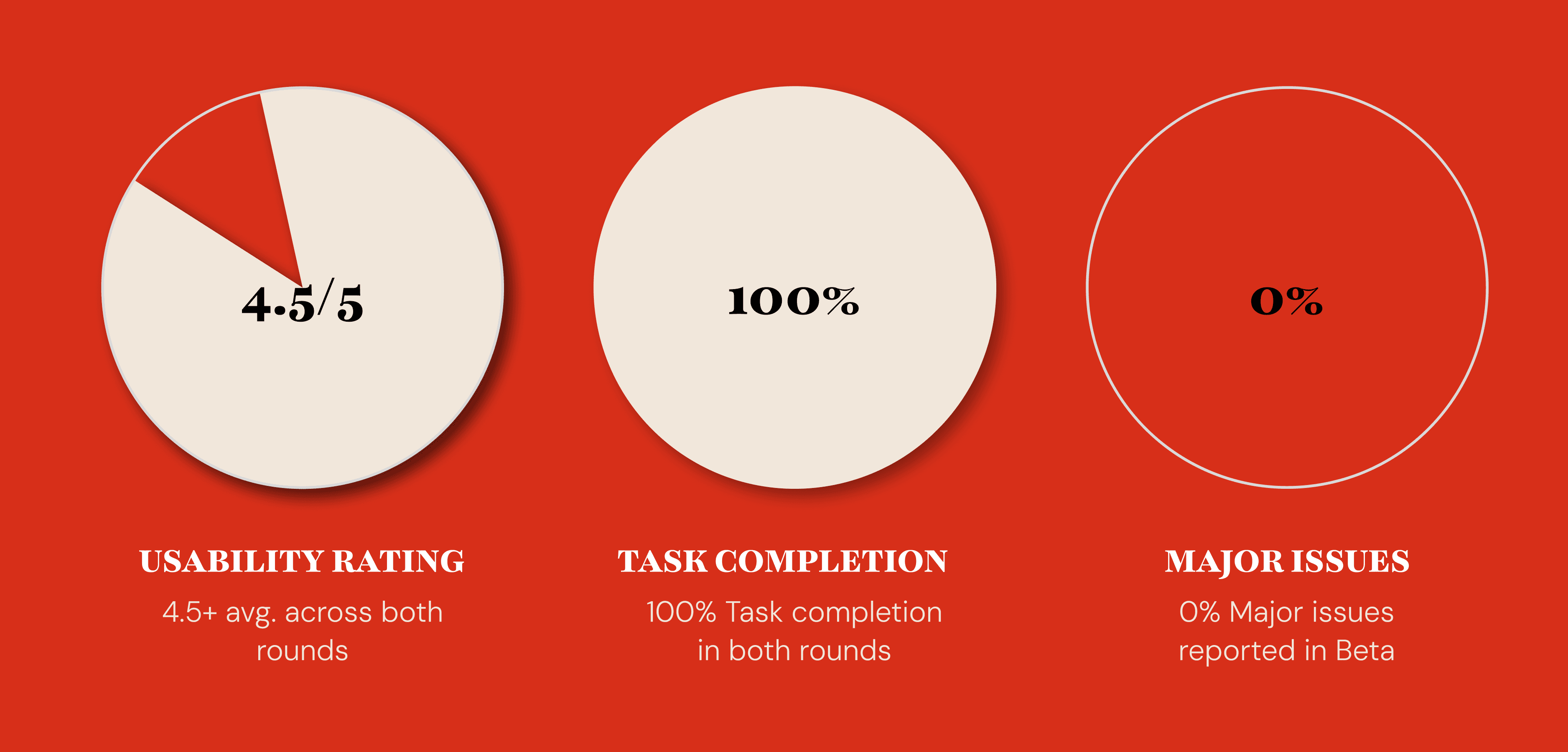
USABILITY TESTING/RESULTS

Food Truck App Beta Usability Findings

Phase 2 tests were run on alpha and beta versions of the coded app. My design partner and I alternated between facilitating and note-taking to keep observations objective. Findings were combined as a team before any changes were reviewed with developers, keeping design and development aligned throughout.


With some minor alterations needed toward the end, results were strongly positive:

Although it varied to every industry, the primary involved the following:

  • Usability testing averaged 4.5 out of 5 in the beta round, clearing the 4/5 target set at the start of the project

  • Most participants completed the ordering flow without confusion

  • Final round feedback centered on minor spacing preferences rather than structural issues

That shift was the clearest signal that the core experience had been solved.

Although it varied to every industry, the primary involved the following:

FINAL

Kami's Conclusion

Every pain point uncovered in research became a purposeful feature. Confusing navigation was simplified, order-ahead functionality eliminated long waits, and push notifications replaced inconsistent Instagram updates. The result is an app that does not just let you order Korean food. It makes the entire Kami experience smoother, more reliable, and more worth coming back to.
The redesign did not just test better. It felt like YEN.

Although it varied to every industry, the primary involved the following: