


Designing a Shipment Approval Workflow Between Two Inventory Systems

Data Visualization

Internal Tool

Overview

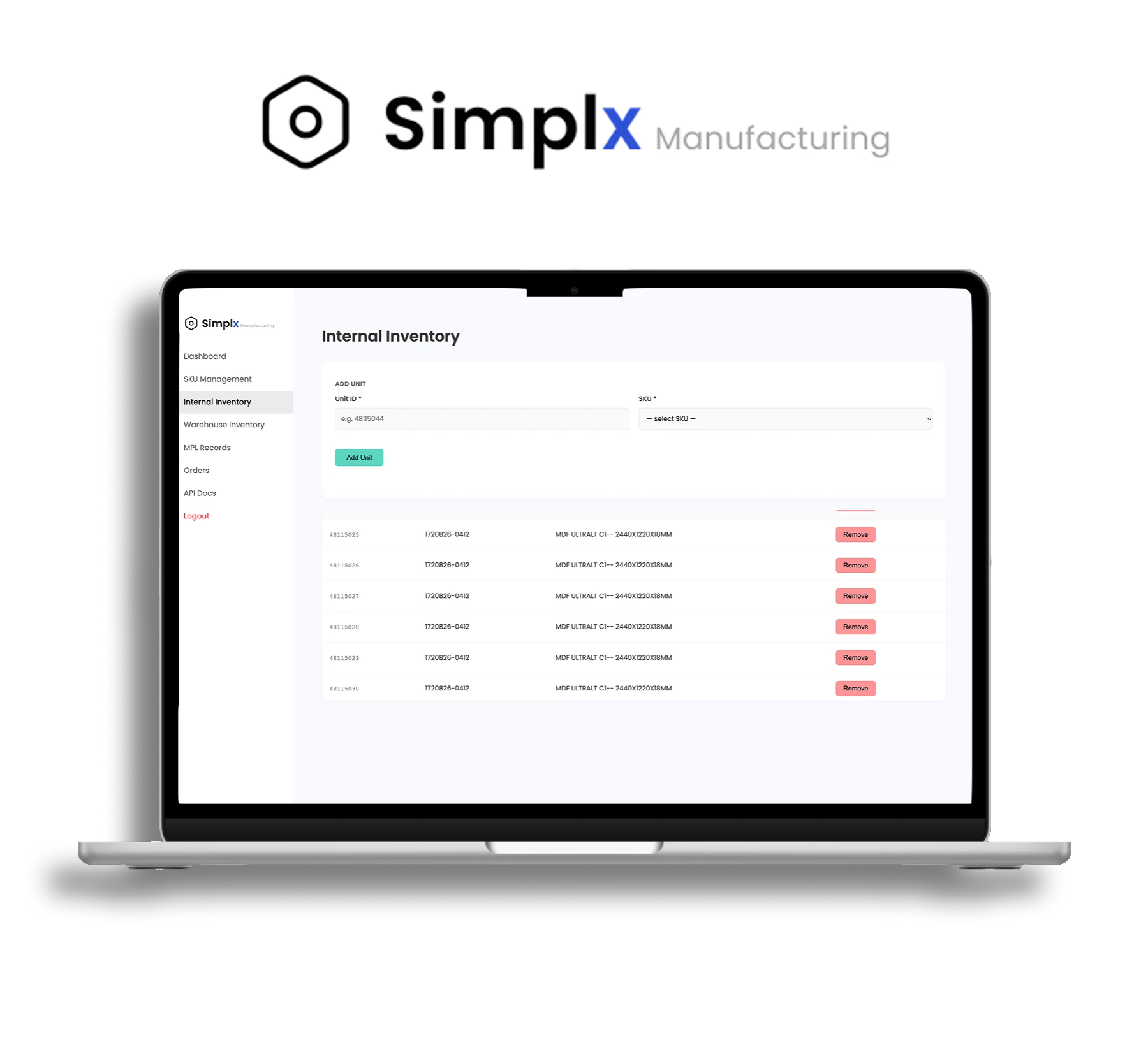
Simplx is a working prototype of an internal inventory tool for a hypothetical lumber distributor. Staff use it to track wood products, bundle them into shipments, and send those shipments to a partner warehouse for approval.


When the warehouse approves or ships something, both parties update its content automatically.

Designing a Shipment Approval Workflow Between Two Inventory Systems

Data Visualization

Internal Tool

Overview

Simplx is a working prototype of an internal inventory tool for a hypothetical lumber distributor. Staff use it to track wood products, bundle them into shipments, and send those shipments to a partner warehouse for approval.


When the warehouse approves or ships something, both parties update its content automatically.

Designing a Shipment Approval Workflow Between Two Inventory Systems

Data Visualization

Internal Tool

Overview

Simplx is a working prototype of an internal inventory tool for a hypothetical lumber distributor. Staff use it to track wood products, bundle them into shipments, and send those shipments to a partner warehouse for approval.


When the warehouse approves or ships something, both parties update its content automatically.

ROLE

Front-End Development

TIME

January 2025 to March 2025

TOOLS

Figma, PHP, MySQL, HTML/CSS

TYPE

Internal Management

The Problem

Distrubutor Concept

In our distributor concept, Simplx is a lumber company that stores its own stock but ships to a third-party warehouse, RAM. Each company runs its own software:

Simplx CMS

(My Team)

Staff manage products, internal inventory, packing lists + custom orders

RAM WMS

(Partner Team)

Receives packing list + confirms what arrived and ships orders out

USER GROUPS

Intended Users & Constraints

Every shipment crosses between the two systems and comes back. If either side gets out of sync, a company might sell wood it no longer has, or lose track of wood sitting in someone else's building.


With lack of real users to interview, the tool was designed around the people who would realistically use it day to day. Both teams needed a connected front end and back end that clearly showed what was in stock and what was still waiting on the other side.


The partner team’s developers also needed clear rules for sending updates back to us. Because both systems were built at the same time, our records had to stay in sync with theirs at every step.
DATA CLEANUP

Building a Trustworthy Foundation

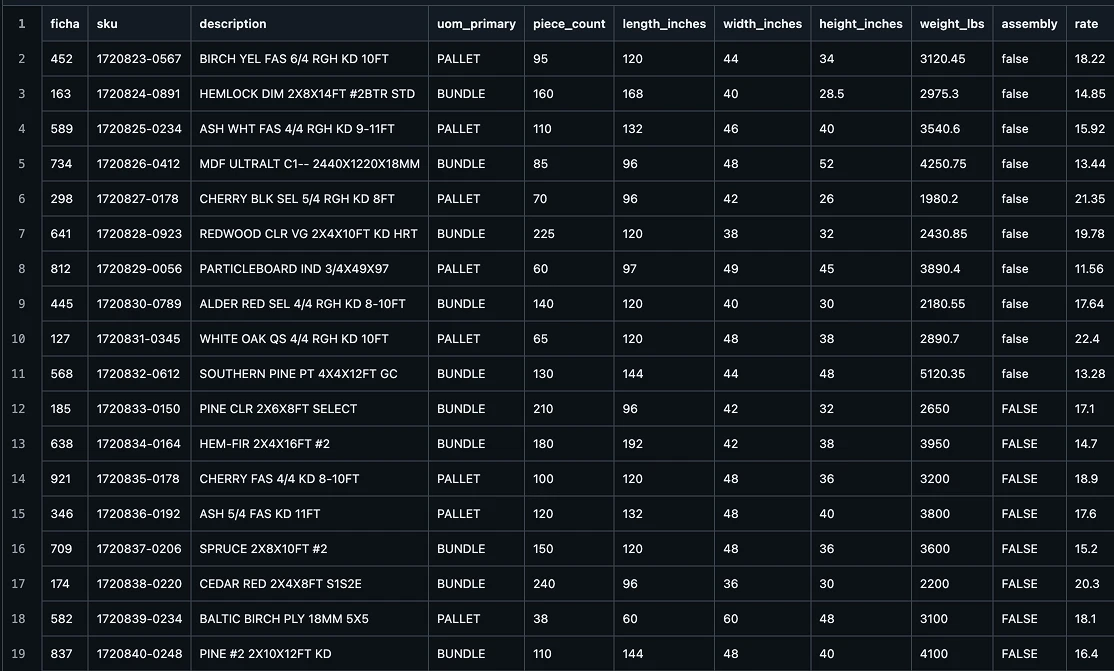
Before designing the UI, the data needed to appear trustworthy. We received two product spreadsheets (30 lumber products) and one-page shipping report (49 individual units).


The data was raw and split across different files and formats. In a real distributor tool, that risks the potential of an unreliable interface, units linked to the wrong product, search and sorting that return wrong results, and records that fall out of sync between the two systems.


The results was one clean database. 30 products and 49 units were units linked to its product and starting in internal inventory.


The brand identity was still finding itself at the start of the project. Multiple designers were refining the look and feel simultaneously, meaning the visual direction shifted regularly. Early decisions were rarely definitive.

To manage this, I introduced structured feedback sessions to align the team on visuals, content hierarchy, and functionality before work continued. I also built a comprehensive site map to help the team visualize the full information architecture, identify redundant page paths, and clarify navigation flow.

SWIM LANE USER FLOW

Exchange Mapping

Before any screens, the team mapped each step of a shipment in a swimlane user flow showing which system owns what. This defined the system states, what users can do in each one, and the feedback they see. 


Packing lists can only be edited as drafts, since changing one after the warehouse has it would break sync. Users can only pick units still in internal inventory, preventing errors before they happen. If something saves locally but fails to reach the warehouse, users see a warning instead of a false success. Units move to the warehouse only after RAM confirms, and orders follow the same loop.

INFORMATION ARCHITECTURE

Refining Navigation & Dashboard

The first version’s information architecture didn’t support a clear user flow. Updates from RAM never appeared on our side, the dashboard simply duplicated the inventory page, and users had to read through long lists to understand anything. Changing inventory even meant re-importing a file.


The second version added warehouse, shipment and order pages that show RAM’s updates as soon as it acts, giving users visibility of system status. The dashboard became an at-a-glance summary, units can now be edited directly in the interface, and long lists moved into scrollable tables, with search and filters as the next step.


The brand identity was still finding itself at the start of the project. Multiple designers were refining the look and feel simultaneously, meaning the visual direction shifted regularly. Early decisions were rarely definitive.

To manage this, I introduced structured feedback sessions to align the team on visuals, content hierarchy, and functionality before work continued. I also built a comprehensive site map to help the team visualize the full information architecture, identify redundant page paths, and clarify navigation flow.

USER GROUPS

Cross-System Sync

Getting two independently built systems to work as one took the most care. The Simplx and RAM teams each owned half of one end-to-end workflow, so both sides had to agree on exactly how shared data was named and formatted, or the handoff would break.


The teams’ mental models didn’t always align either. Each side tracked the same shipment with different statuses, which showed the value of a shared vocabulary early on. In the end, both systems closed the feedback loop: RAM confirms each shipment, and Simplx automatically updates inventory to match.

FINAL

Simplx's Conclusion

The final Simplx tool supports the full loop: create products, track 49 units, build a packing list, send it to RAM, receive the warehouse's confirmation, and see the units move to Warehouse inventory. Orders follow the same path out and come back marked as shipped.


This project reinforced that UX extends beyond the interface. A front end is only as reliable as the data and back-end logic supporting it, so cleaning the data and defining how information moves between systems were as important as designing the screens. Future improvements would include search and filtering, notifications for warehouse updates, accessibility fixes, and clearer labels in place of internal abbreviations.


Beyond the numbers, the final site gave YEN Studios a foundation built to grow with them. Visual hierarchy became clearer, load times got faster, and the structure supports the seamless addition of future content without requiring a rebuild.

The redesign did not just test better. It felt like YEN.

LOCATION

PHILADELPHIA PA

LOCATION

PHILADELPHIA PA