




ROLE
Solo Interaction Designer, Analysis
TIME
10 Week Sprint
TOOLS
HTML, CSS
TYPE
UX/ Interaction Design
PROBLEM
Not Quite There
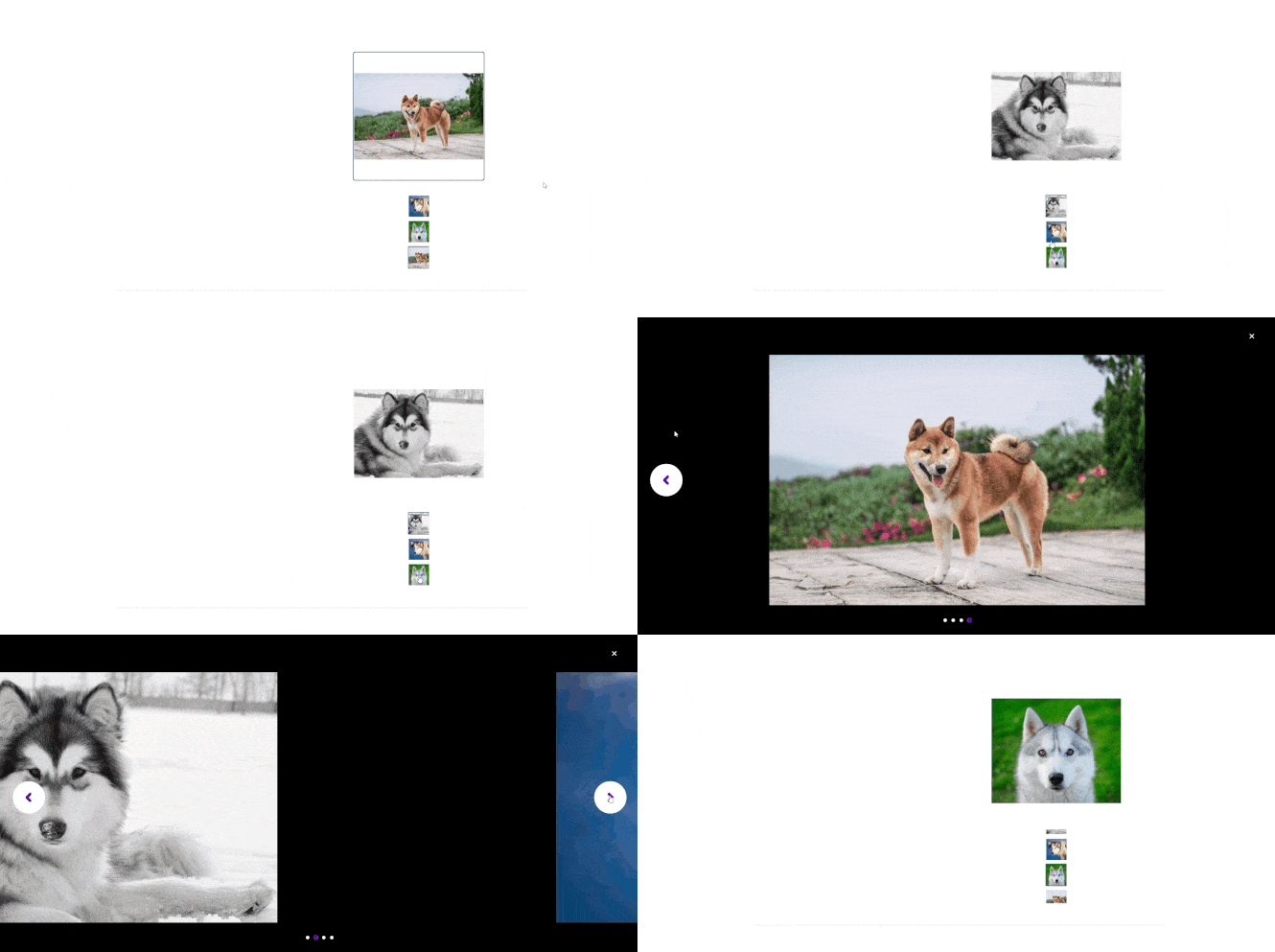
The original Petfinder dog slideshow technically displayed imagery, but gave users little reason to engage with it.
The thumbnail area lacked clear affordance.
Interaction states were inconsistent, with some elements triggering animations while others stayed completely static.
Clicking the main image or the close button produced no feedback at all, while arrows and thumbnails triggered slide animations.
For a platform built around emotional connection with animals, a slideshow that felt partially unfinished was a missed opportunity.
ROLE
Food for Thought
This time period needed me not to just jump in, but rather interpret the reasoning behind any changes to be made.
Analyze
Mapped the user journey, identified interaction gaps across five objects, and developed a user persona to anchor design decisions
Design
Expanded the existing color palette into a style sheet, prototyped layouts, and defined animation states for hover, active, and click interactions
Build
Developed all five interactive objects in HTML and CSS, including lightbox behavior, paw-shaped navigation, and synced thumbnail animations
PROBLEM
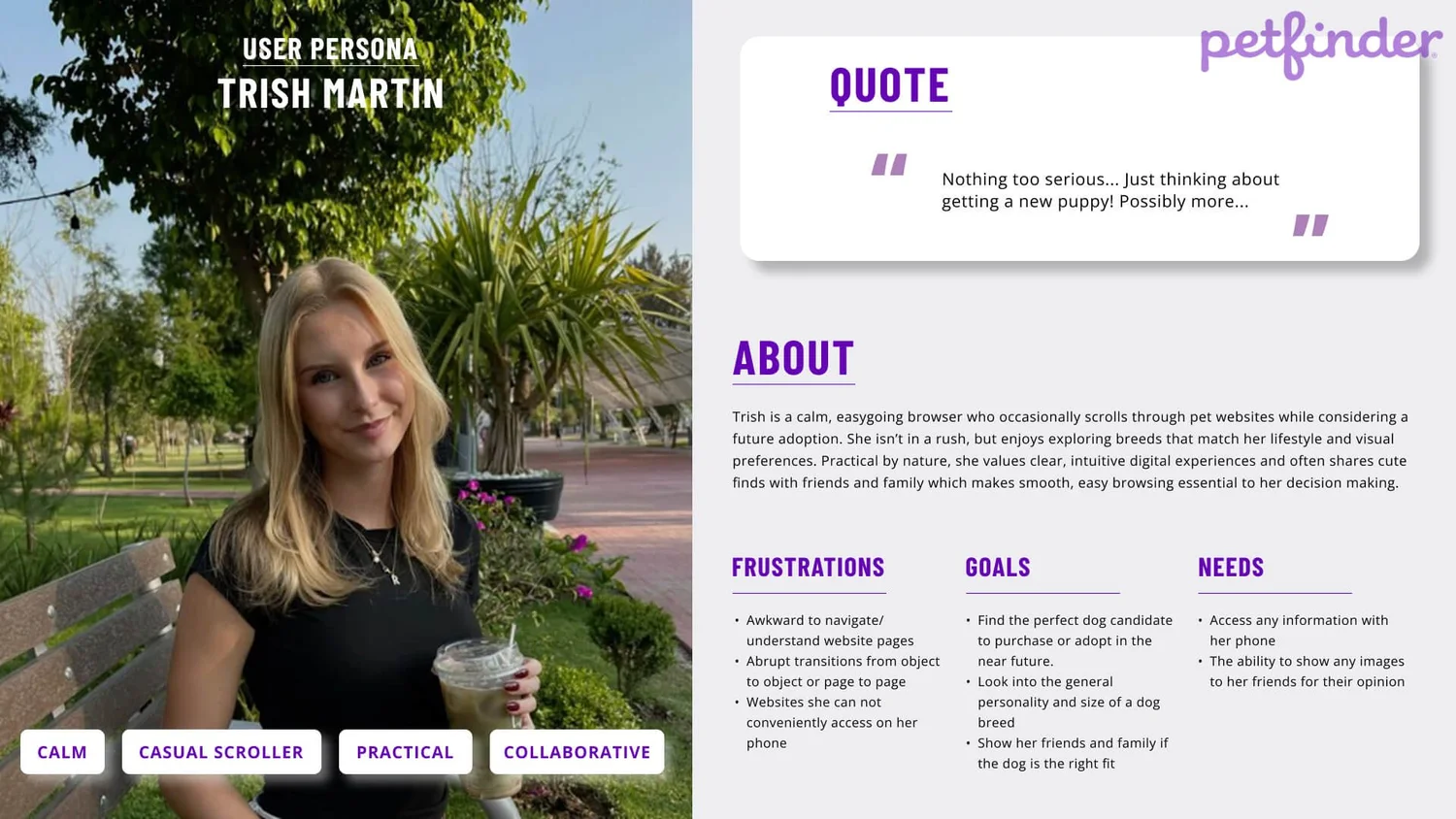
Our Target
STYLE SHEET
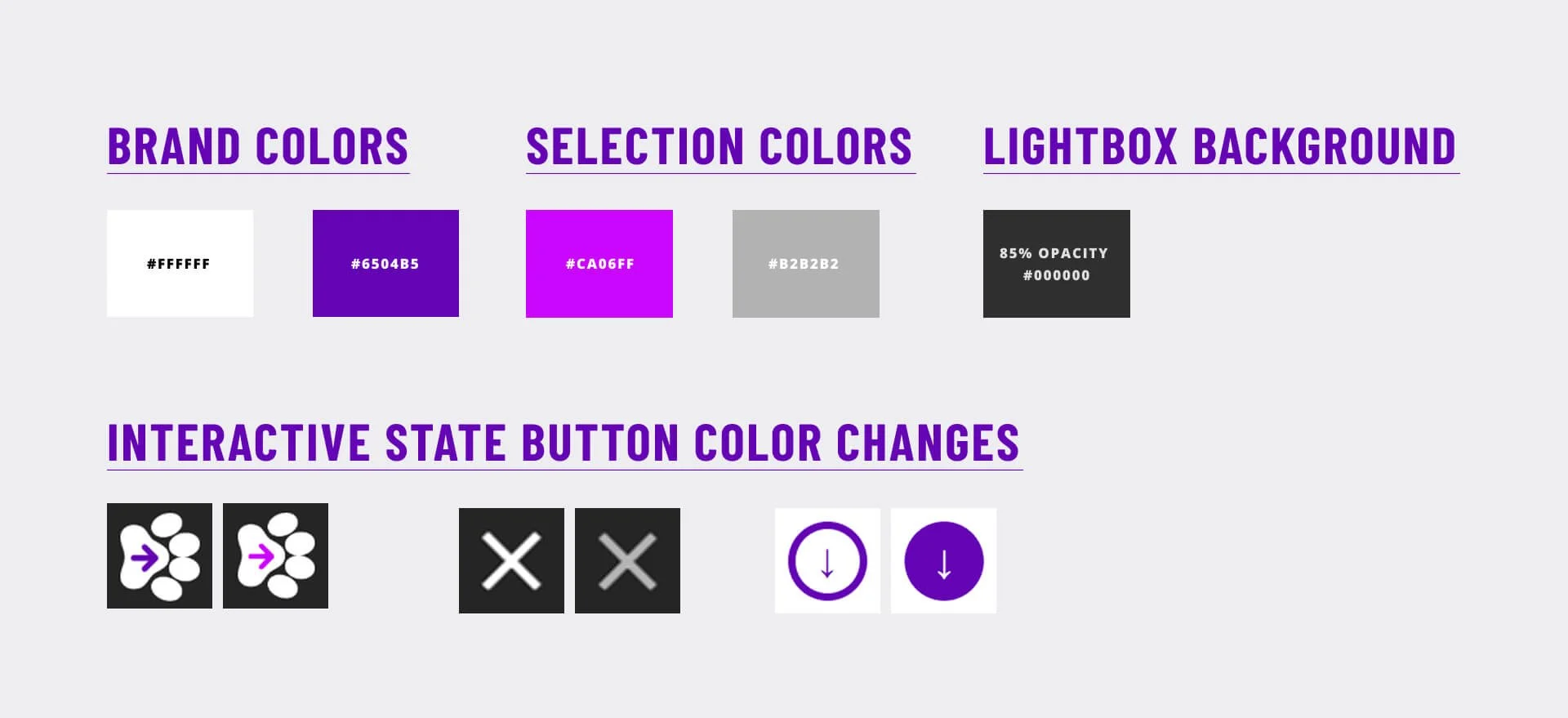
Keeping it Recognizable
Keeping the original Petfinder color palette was important for maintaining brand recognition. I built on it by using lighter and darker versions of the same colors to show hover, active, and click states, so the feedback felt familiar and consistent rather than out of place.
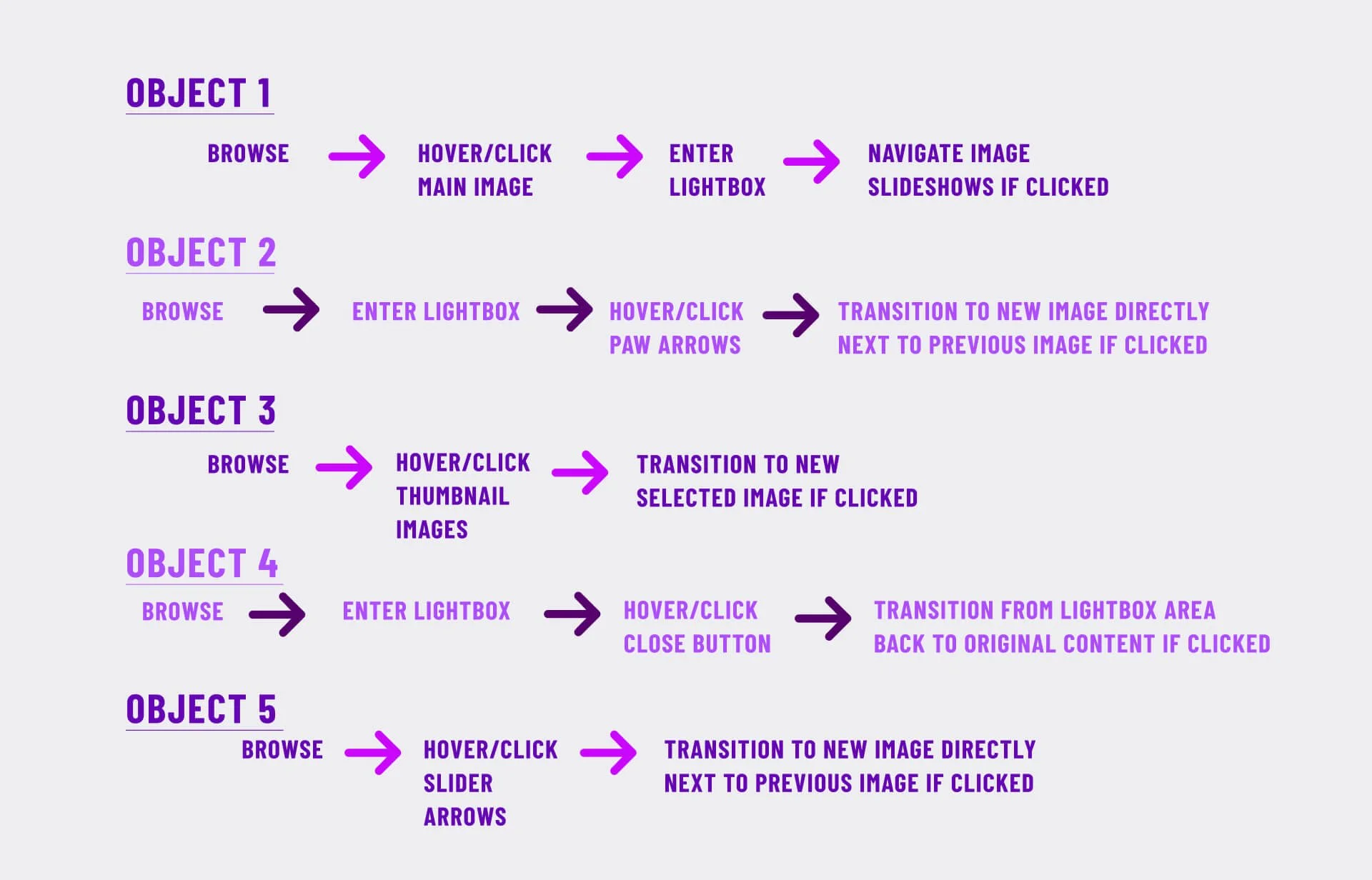
UX Flow
Finding its Shape
I mapped a simple user journey to break the slideshow into individual steps rather than treating it as one vague experience:
Browse → Notice image → Hover and Click → Enter Lightbox → Navigate thumbnails → Exit → Share
This made it easier to identify exactly where interactions needed improvement and where they could stay as is. A style sheet was also developed using Petfinder's existing color palette, expanding on it with lighter and darker variations to indicate hover, active, and click states without breaking brand continuity.
STEP-BY-STEP
Fetching the Details
A need for a consistent use of animations were needed to create clearer feedback and a more intuitive browsing experience.
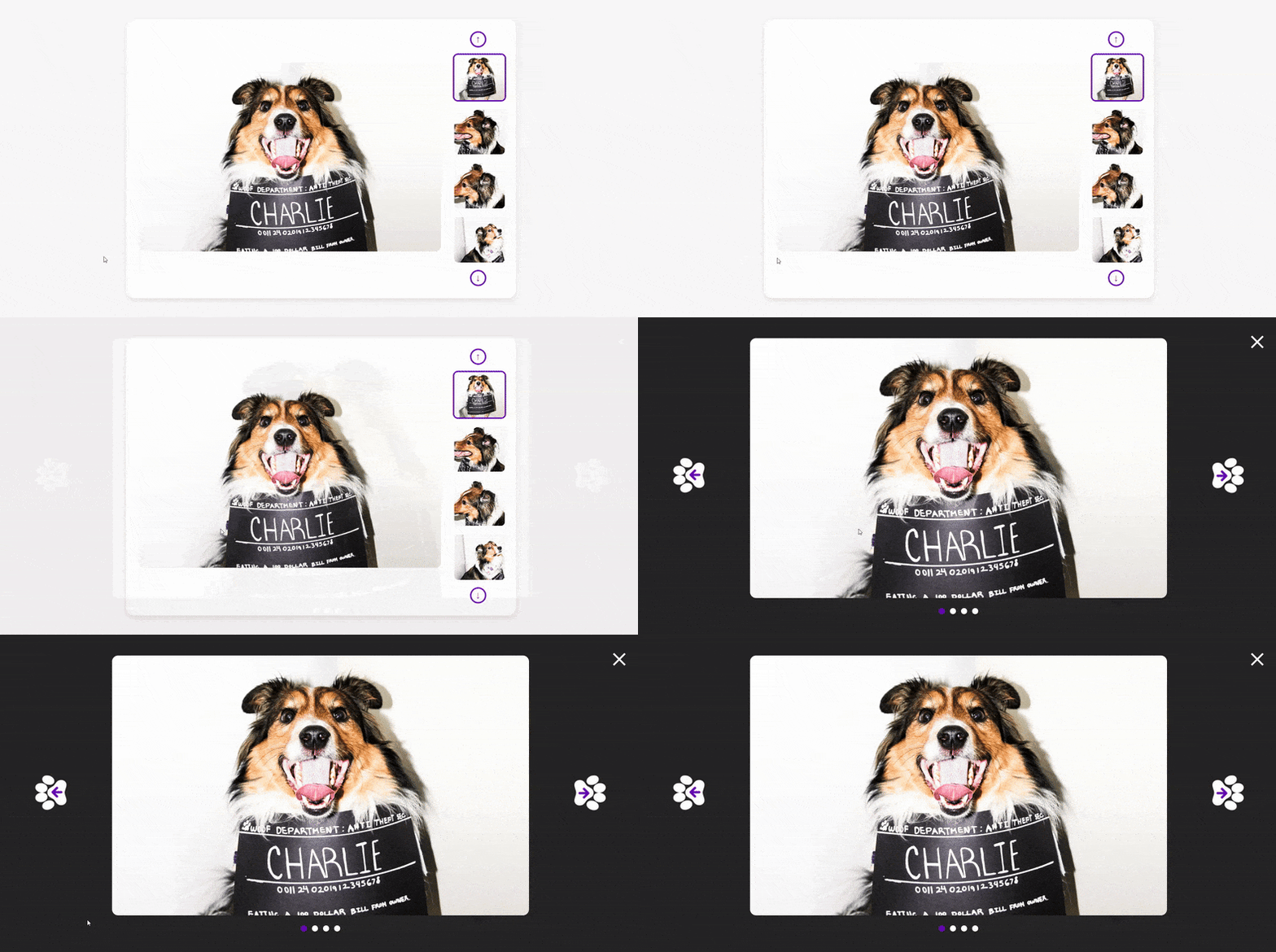
Added hover scaling and brightness changes to communicate clickability. A click now expands the image upward into a lightbox, reinforcing the shift into a focused viewing state
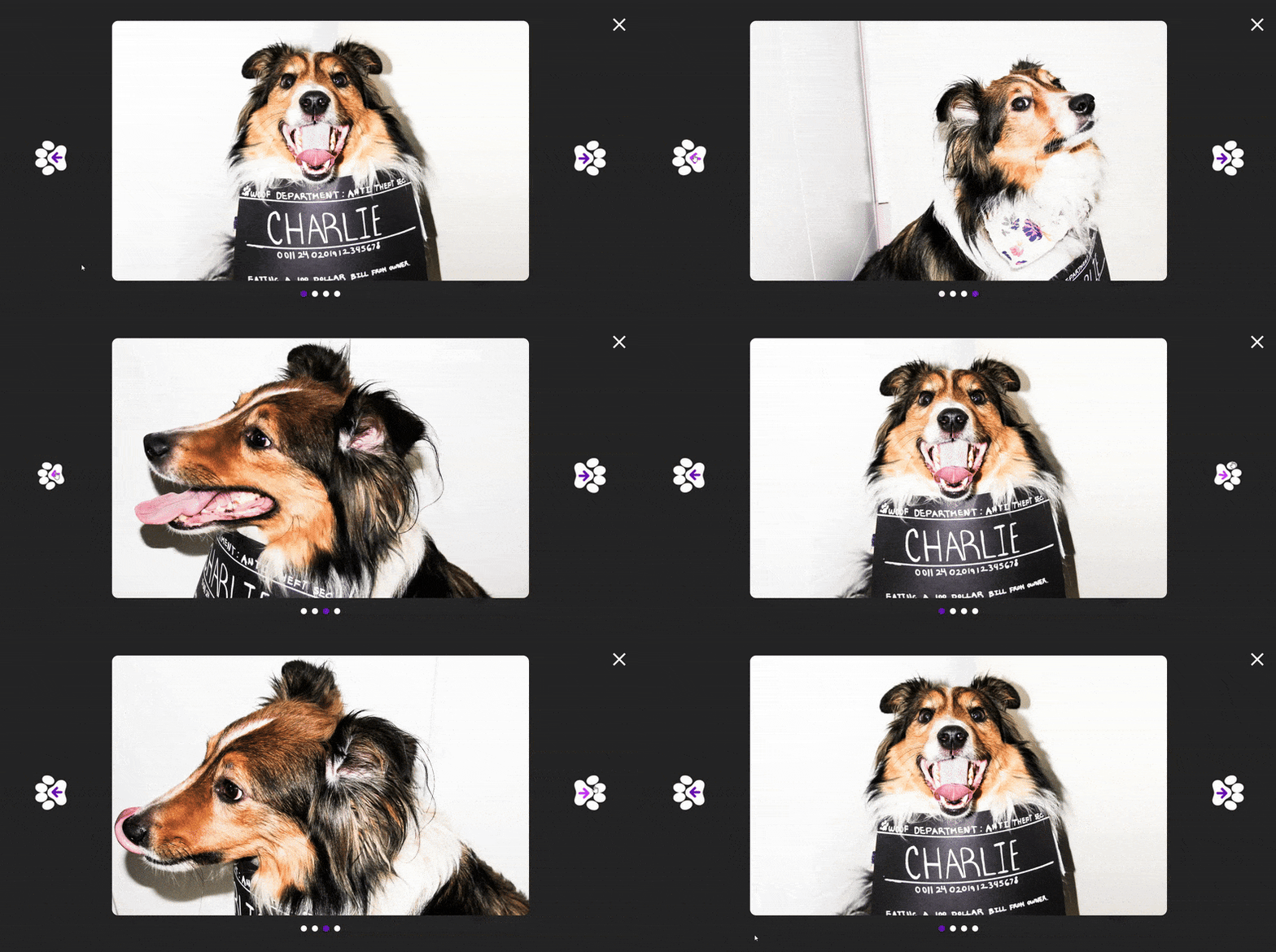
Replaced simple arrows with paw-shaped controls featuring a bounce and rotation effect on click, maintaining the pet-centered theme while reinforcing cause and effect
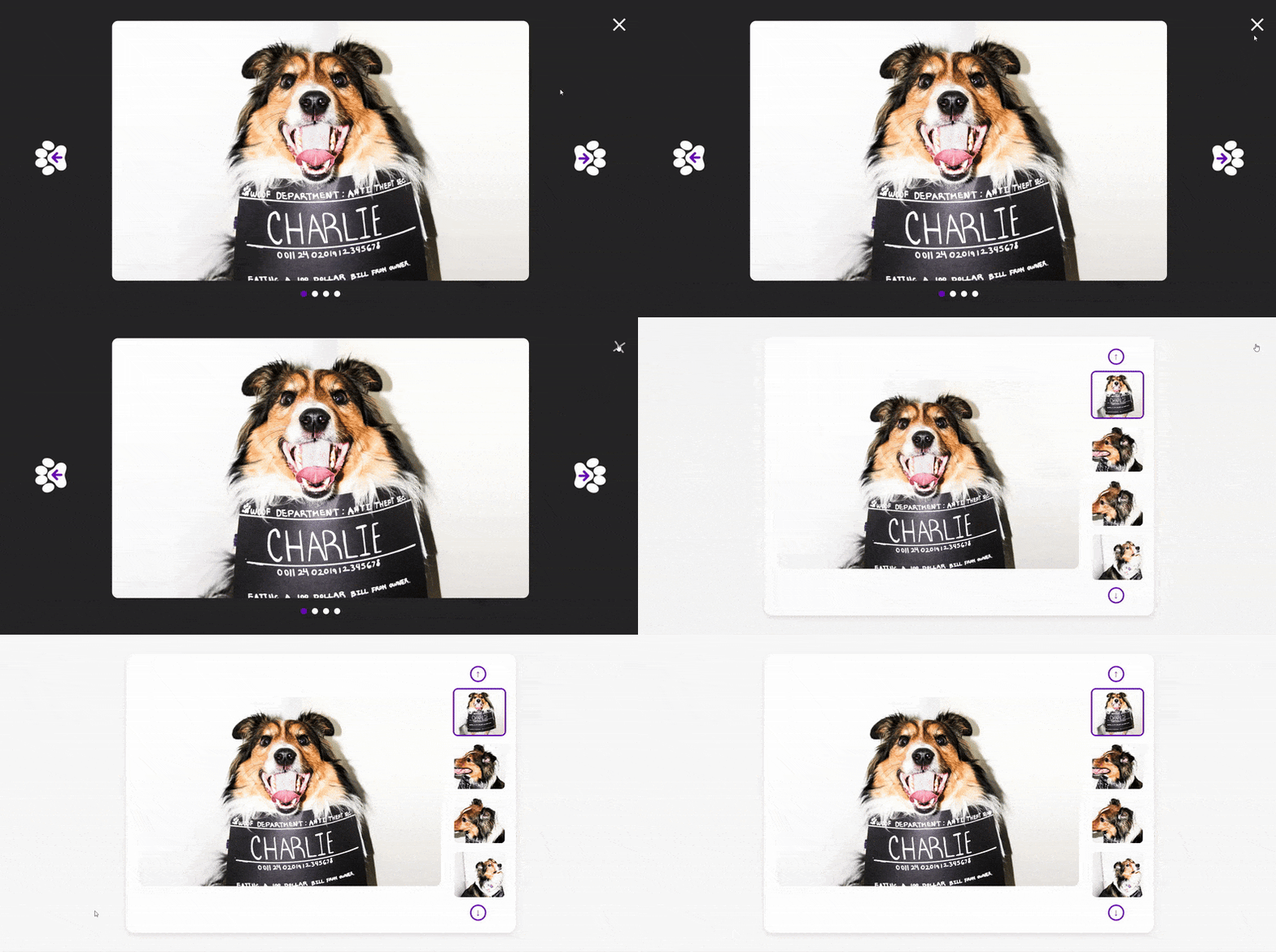
03 — Close Button
Animated with opacity changes on hover and rotation on click. The lightbox now fades back into the original image rather than resetting abruptly, so users retain context on exit
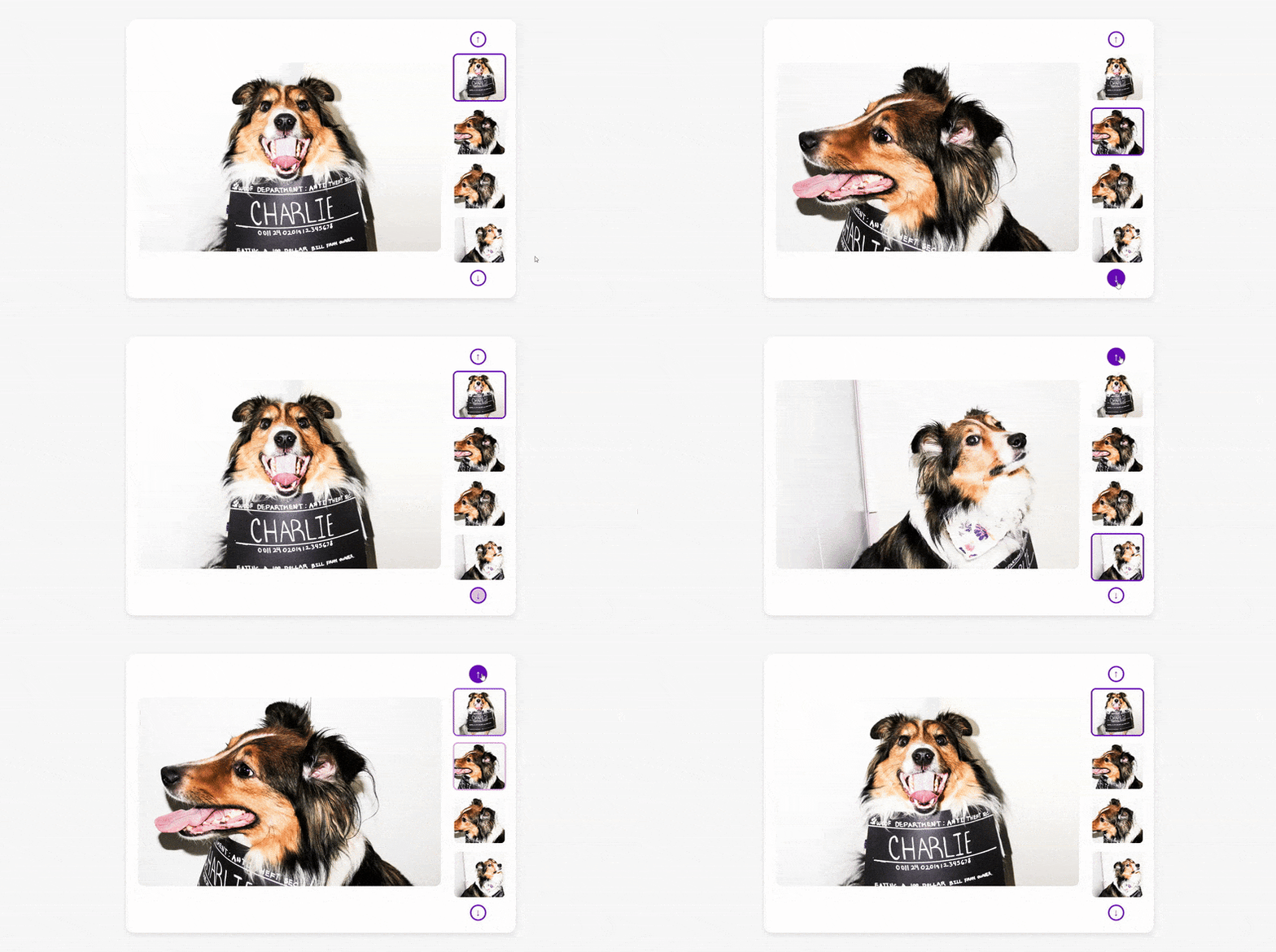
Added explicit navigation controls with scaling and color inversion on hover, giving users clear spatial direction rather than relying on a cursor change alone
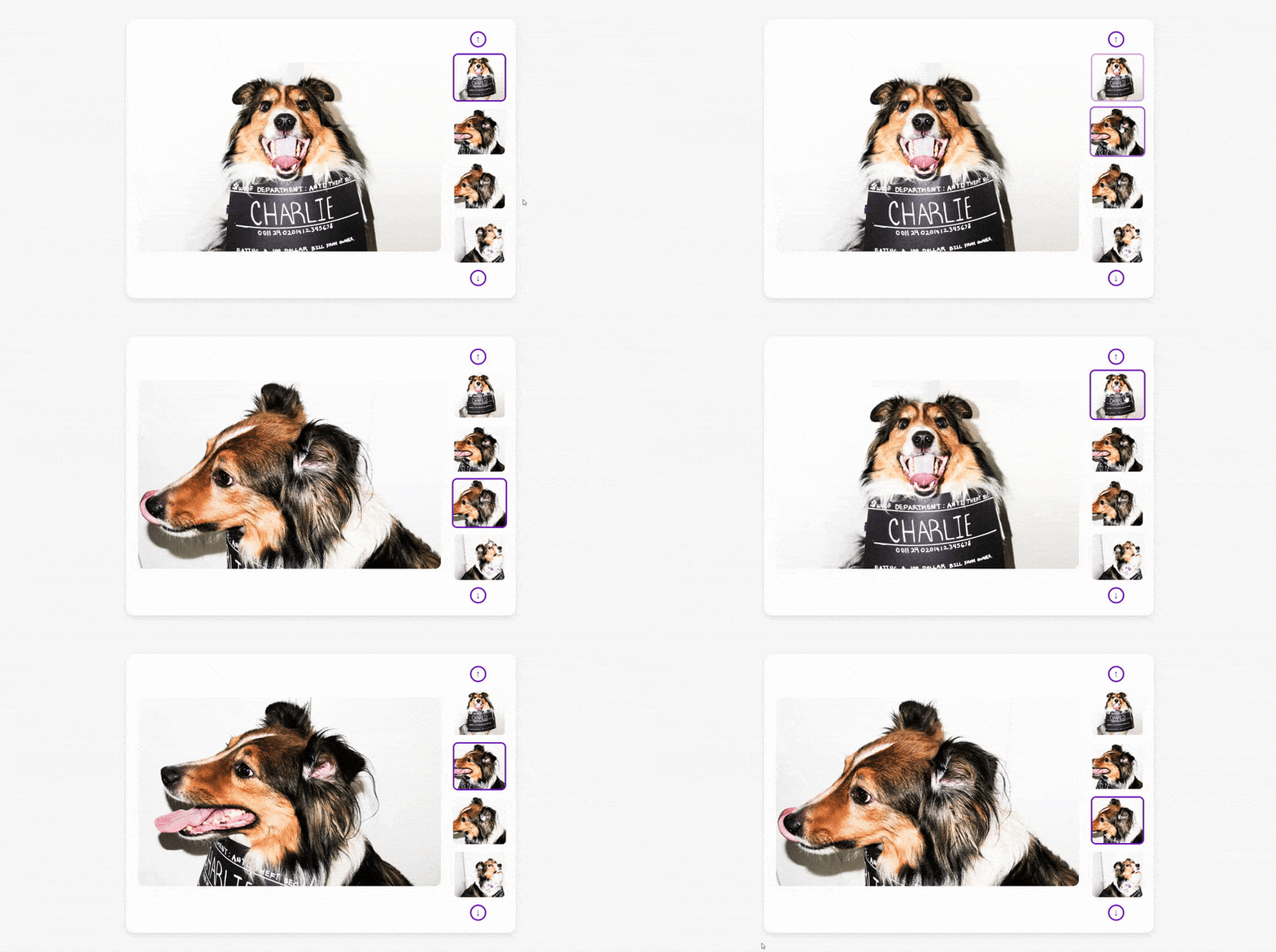
Added hover scaling, a colored border on the active selection, and a fade synced to the main image, so users always know which image is currently active
